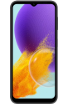

 PDF-Eintrag
Handbuch
Bedienungsanleitung
Für dieses Gerät sind 2 PDF-Datei(en) in der bestehenden Datenbank hinterlegt: 104 Seiten · 5.00 MB.
Alle Anleitungen anzeigenSamsung Galaxy Ace 4 im Überblick
The Samsung Galaxy Ace 4, launched in July 2014, is part of the popular Galaxy Ace series targeting the budget smartphone segment. Its market introduction responded to the growing demand for affordable yet functional mobile devices. The Galaxy Ace 4 continues the philosophy of its predecessors, offering solid basic features and compact sizes that attract users seeking simplicity and efficiency.
The device is equipped with a 4-inch TFT display with a resolution of 480 x 800 pixels, providing sufficient brightness and sharpness for basic uses, such as browsing the internet, using social media, and playing simple games. While the screen does not match the quality of displays offered in more expensive models, it is adequate for the needs of the budget segment.
Powered by a 1 GHz dual-core processor (the LTE version has a 1.2 GHz quad-core processor), supported by 1 GB of RAM, this hardware combination allows for smooth operation of the operating system and applications, although it may not be sufficient for more demanding uses and the latest games.
Depending on the version, the phone offers 4 GB or 8 GB of internal storage with the possibility of expansion via a microSD card, crucial for users wanting to store more photos, music, or videos.
Also onboard is a 5 MP rear camera with autofocus and an LED flash, capable of taking satisfactory photos in good lighting conditions. The front camera, usually offering low resolution, is primarily intended for video calls.
The Galaxy Ace 4 runs on the Android operating system with the TouchWiz overlay, offering a range of additional features and conveniences over pure Android, though system updates may be limited due to hardware specifications.
In summary, the Samsung Galaxy Ace 4 represents a sensible choice for individuals looking for a simple, functional smartphone at an affordable price. Its main advantages are compact size, adequate performance for basic tasks, and expandable memory. However, for users expecting modern photographic features or performance enabling smooth gameplay in the latest games, the Galaxy Ace 4 may prove insufficient.
Ausstattung im Überblick
Diese Hinweise werden ausschließlich aus gespeicherten technischen Feldern abgeleitet und sind keine redaktionelle Bewertung.
Vorhandene Merkmale
- Wi-Fi Direct
Vollständige Spezifikation
61 AngabenTechnische Daten
Allgemeine Daten5
- Abmessungen
- 121,4 × 62,9 × 11 mm
- Gewicht
- 130,30 g
- Gerätetyp
- Smartphone
- Marktstart
- 2014
- Farben
- Iris Charcoal, Classic White
Mobilfunknetze4
- GSM-Frequenzen
- 850/900/1800/1900
- UMTS-Frequenzen
- 850/900/2100
- LTE
- Ja
- LTE-Frequenzen
- FDD LTE: 2600, 1800, 900, 800
Display3
- Display
- TFT 16 Mio. Farben 480 x 800 px (4,00 Zoll) 233 ppi
- Screen-to-Body-Verhältnis
- 59.6
- Touchscreen
- Ja
Speicher, System und Leistung6
- Taktfrequenz
- 1,20 GHz
- Arbeitsspeicher
- 1 GB
- Interner Speicher
- 4 GB
- Speicherkarte
- microSD, microSDHC, microSDXC, max 64 GB
- Betriebssystem
- Android · Android 4.4.2 KitKat
- AnTuTu-Ergebnis
- 14.025
Akku und Laden2
- Akku
- Li-Ion 1.800 mAh
- Austauschbarer Akku
- Ja
Kamera und Multimedia8
- Hauptkamera
- 5 MP, 2592x1944 px
- Frontkamera / zweite Kamera
- 0,3 MP, 640x480 px
- Blitz
- Ja, LED
- Videoaufnahme
- H.263, H.264, MPEG4 - 30 fps., 1280x720 px
- MP3-Player
- Ja
- UKW-Radio
- Ja
- Polyphone Klingeltöne
- Ja
- Audioanschluss
- 3.5 mm
Nachrichten und Telefonie7
- Wörterbuch
- Ja, XT9
- MMS
- Ja
- Freisprechfunktion
- Ja
- Sprachwahl
- Ja
- Anrufweiterleitung
- Ja
- E-Mail-Client
- Ja
- RSS-Reader
- Ja
Datenübertragung und Verbindungen15
- Bluetooth
- Ja, v4.0
- GPRS
- Ja, Klasse 12
- EDGE
- Ja, Klasse 12
- WLAN
- Ja, v802.11 b/g/n
- WLAN-Frequenzen
- 2,4 GHz
- Wi-Fi Direct
- Ja
- WAP
- Ja, v2.0
- XHTML
- Ja
- HSDPA
- Ja, 42,00 Mbit/s
- HSUPA
- Ja, 5,76 Mbit/s
- HSPA
- Ja
- HSPA+
- Ja
- DLNA
- Ja
- WLAN-Hotspot
- Ja
- USB
- Ja, v2.0
Weitere Funktionen8
- Java
- Ja, Dalvik
- Kalender
- Ja
- Uhr
- Ja
- Diktiergerät
- Ja
- Wecker
- Ja
- Stoppuhr
- Ja
- Aufgabenliste
- Ja
- Taschenrechner
- Ja
Sensoren1
- Beschleunigungssensor
- Ja
Fehler oder veraltete Angabe entdeckt?Teilen Sie uns Feld, aktuellen Wert und möglichst eine Quelle mit.
Datenfehler meldenVideoanleitungen und Tests
Alternative Namen für Samsung Galaxy Ace 4
Diese Bezeichnungen stammen aus den vorhandenen Tabellen für alternative und beworbene Modellnamen.
Samsung Ace 4 bedienungsanleitung deutschSamsung SM-G310ASM-G310SM-G310A
Häufige Fragen zu Samsung Galaxy Ace 4
Wo finde ich die Bedienungsanleitung für Samsung Galaxy Ace 4?
Für dieses Modell sind PDF-Einträge für folgende Sprachen im Katalog gespeichert: Deutsch und Englisch. Ob die Quelldatei erreichbar ist, wird beim Öffnen geprüft.
Welches Betriebssystem verwendet Samsung Galaxy Ace 4?
In den hinterlegten technischen Daten ist als Betriebssystem „Android 4.4.2 KitKat“ angegeben.
Welches Display hat Samsung Galaxy Ace 4?
Die Datenbank nennt für das Display folgende Angaben: TFT 16 Mio. Farben 480 x 800 px (4,00 Zoll) 233 ppi.
Welche Akkudaten sind für Samsung Galaxy Ace 4 hinterlegt?
Für den Akku ist in der technischen Spezifikation „Li-Ion 1.800 mAh“ eingetragen.
Wie viel internen Speicher bietet Samsung Galaxy Ace 4?
Beim internen Speicher ist „4 GB“ hinterlegt. Je nach Ausführung können mehrere Varianten existieren.